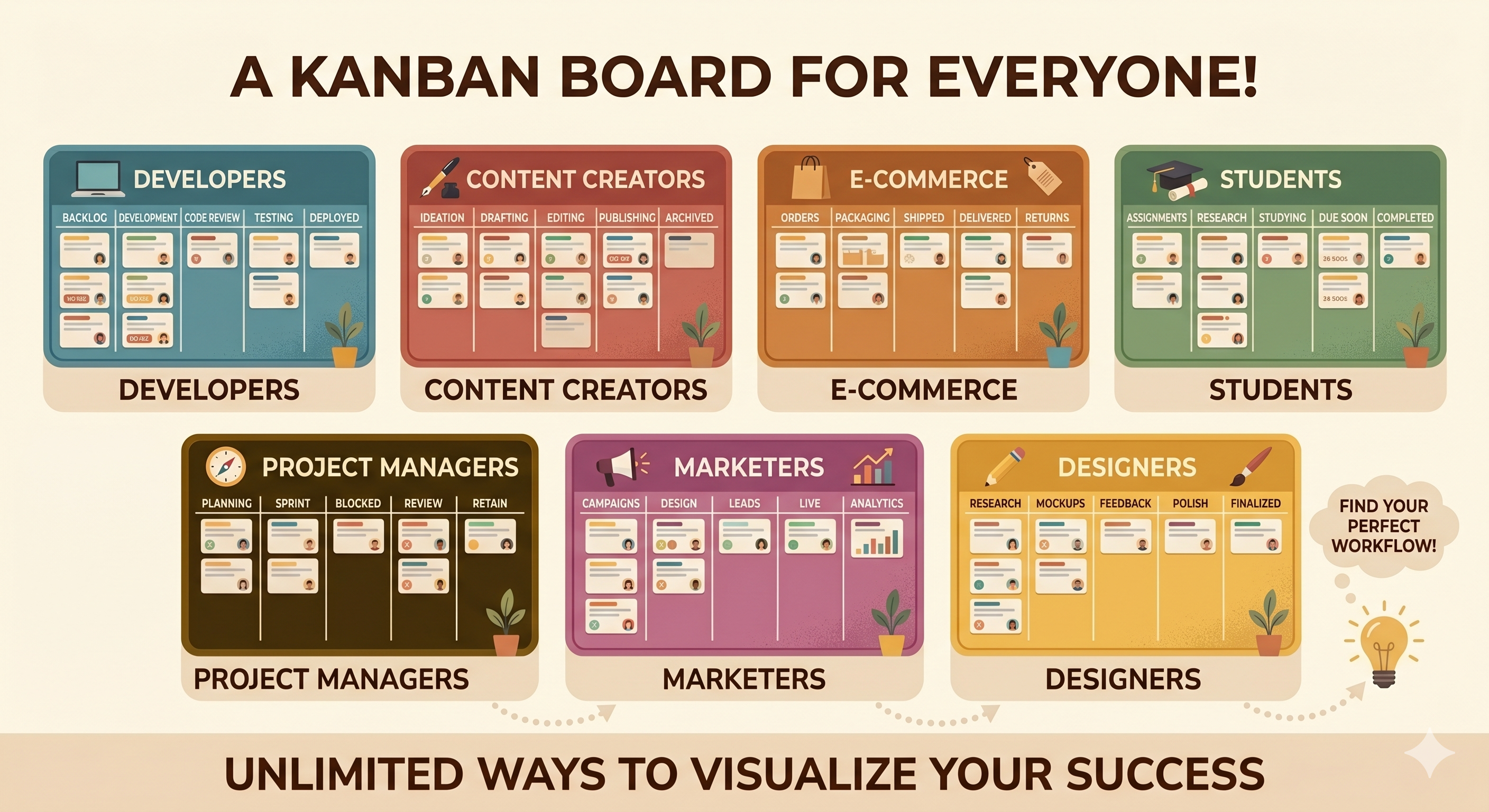
One of the best things about Kanban boards is that they work for almost anything. But when you're starting out, staring at an empty board can feel a bit like staring at a blank page. What columns should you use? How should you organize things?
The answer depends on the kind of work you do. A freelancer's board looks different from a developer's board, which looks different from a student's board.
So here are seven ready-to-use Kanban board setups — one for each type of work. Pick the one that fits, copy the columns, and start moving cards.
The Freelancer Board
Columns: Leads → Proposal Sent → Active Work → Delivered → Invoiced
This board tracks your entire freelance pipeline — from first contact to getting paid. You always know how many active projects you have, who's waiting for a delivery, and which invoices are still open.
The Developer Board
Columns: Backlog → To Do → In Progress → Code Review → Done
A classic setup for solo developers or small dev teams. The Backlog holds everything you want to build eventually. To Do is what you're tackling this week. Code Review makes sure nothing ships without a second look.
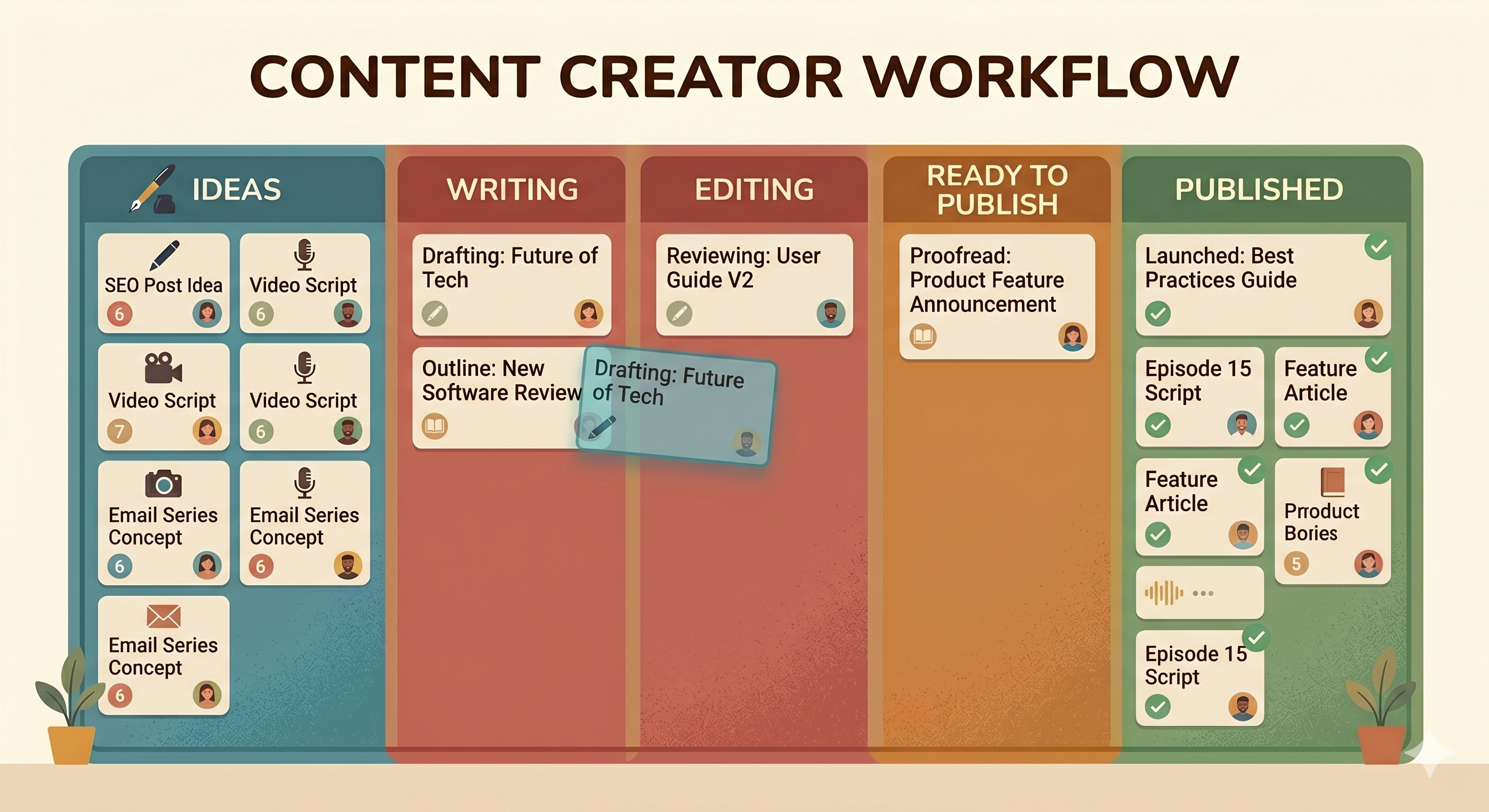
The Content Creator Board
Columns: Ideas → Writing → Editing → Ready to Publish → Published
Whether you run a blog, a YouTube channel, or a social media account — content goes through stages. This board keeps every piece of content visible, from first idea to final publish.
The Student Board
Columns: This Week → In Progress → Submitted → Graded
Simple and effective. Dump all your assignments into This Week, work through them one by one, and watch them move to Submitted. The Graded column is your proof that the semester is actually moving forward.
The Small Business Board
Columns: To Do → In Progress → Waiting On Someone → Done
Small business owners often get stuck waiting — for a supplier, a client response, a delivery. The "Waiting On Someone" column is the key here. It separates tasks you can act on from tasks that are blocked. No more wondering why something hasn't moved.
The Job Search Board
Columns: Saved Jobs → Applied → Interview → Offer → Rejected
Job searching is stressful enough without losing track of where you applied. This board gives you a full view of your pipeline. You can see which applications are moving forward and which ones need a follow-up.
The Personal Tasks Board
Columns: To Do → Today → Done
The simplest board on this list — and sometimes the most powerful. Everything you need to do goes in To Do. Each morning, drag a few cards to Today. Work through them. Move them to Done. Repeat tomorrow.
No priorities, no deadlines, no complexity. Just a clear daily workflow for your personal life.
Pick One and Start
You don't need to overthink your board setup. Pick the example that's closest to your work, create your columns, and start adding tasks. You can always change things later — that's the beauty of Kanban. It adapts to you.
SimplyKanban lets you set up any of these boards in under a minute. Sign up, create your columns, add your tasks. Free plan, unlimited tasks, works on any device.
→ Start your free board at simplykanban.online/register
The board is ready. Your columns are waiting. Just add your work and start moving it forward.